
TVer
A Japanese streaming platform that can be watched for free

TVer is a Japanese AVOD service (ad-supported video-on-demand service) jointly launched by five major commercial broadcasters in Tokyo, Japan: Nippon TV, TV Asahi, TBS Television, TV Tokyo, and Fuji Television.

- TVer is a video streaming service that allows you to watch Japanese movies, TV dramas, variety shows, and live sports events from Japanese terrestrial television for free.
- TVer is free to use primarily because it is jointly funded by five major Japanese commercial television stations and operates on an advertising revenue model.。
- Tver is a highly popular service in Japan, as it allows users to watch TV dramas and variety shows they have missed.

Can’t I watch TVer from overseas? I can’t even download the app…
Can I watch the video overseas?
Viewing of the video is limited to Japan, and it cannot be viewed overseas.。
(Quotation: TVer Official Help)
The official website tells us: TVer does not support overseas viewing.。
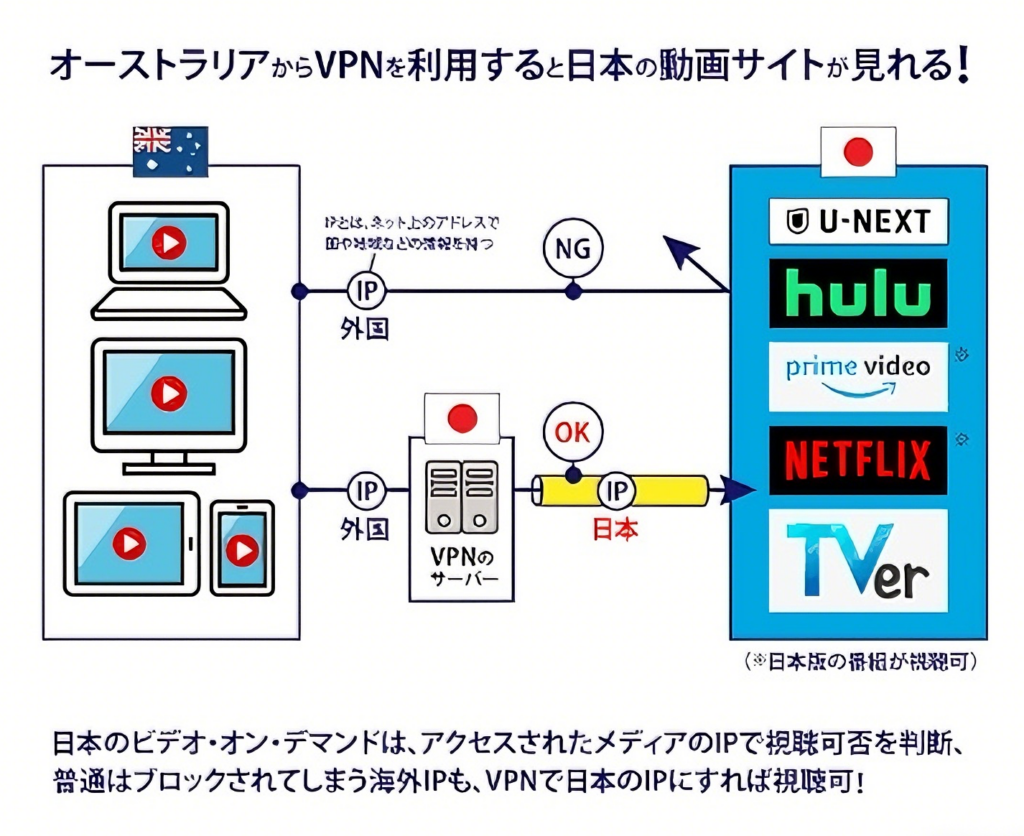
However, by using a VPN connection, you can watch TVer even from overseas.
Enjoy the Wonderful Content on TVer from Overseas with the Assistance of kantanVPN!
Watch TVer Overseas? kantanVPN Has You Covered!
kantanVPN is a VPN specially developed to unlock Japanese streaming services. It is equipped with native household IPs from within Japan, allowing it to be recognized as if you are watching Japanese streaming programs from a home in Japan. VPNs of other brands may not use household IP; they might instead adopt VPS IPs from Japanese data centers. If identified as a data center VPS IP, there is a possibility of being restricted when using a VPN overseas to watch Japanese streaming programs!
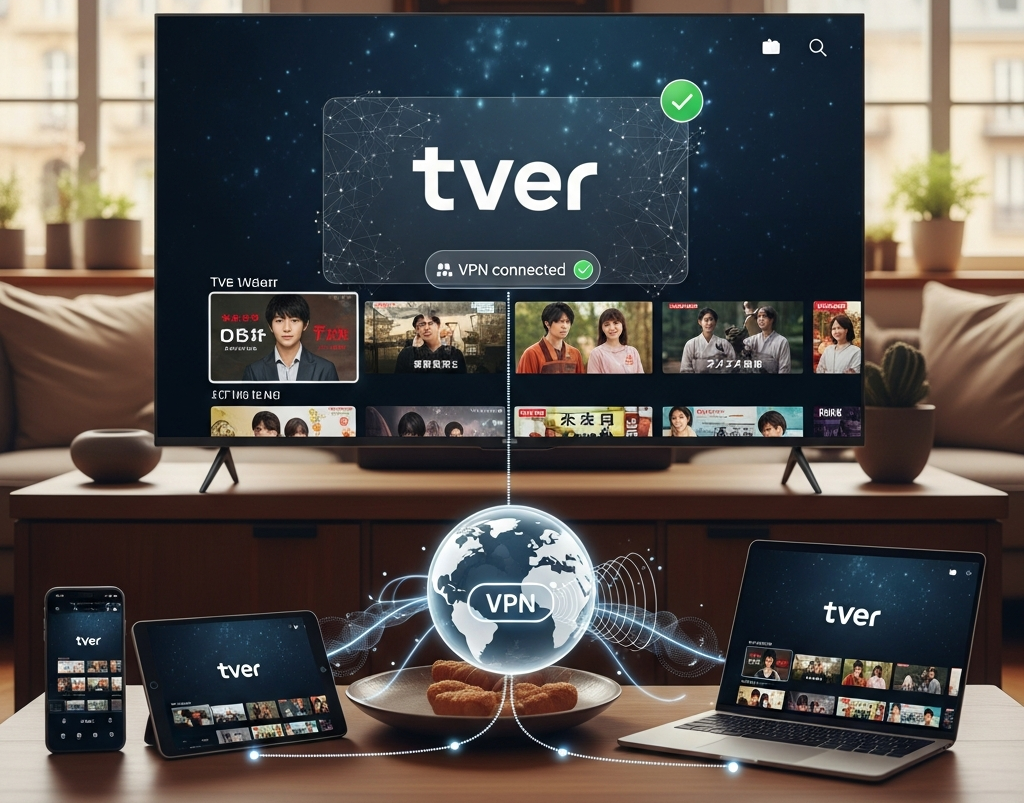
If you’re abroad and frustrated by being blocked from TVer—Japan’s popular AVOD service (backed by five major commercial broadcasters, packed with exclusive Japanese dramas, variety shows, and news)—don’t worry! kantanVPN (official site: www.ikantan.com) is your go-to tool to fix this.

Here’Even for VPN novices, kantanVPN offers a user-friendly experience thanks to its simple setup. Follow these steps to access TVer’s Japanese content from anywhere:
1. Register and Install kantanVPN
Visit www.ikantan.com to register, then download the app for Windows, macOS, Android, or iOS. The installation is straightforward and requires no technical skills.
2. Connect to a Japanese Server
Log in to your account and choose a server in Japan, like Tokyo or Osaka. Once connected, your device will get a Japanese IP, bypassing TVer‘s geo-restrictions.
3. Stream TVer Without Interruptions
Open TVer‘s website or app to access all its content. kantanVPN‘s network ensures stable streaming with minimal buffering.
Access TVer’s dramas, shows, and live broadcasts globally with kantanVPN. It’s the go-to solution for geo-restriction-free Japanese entertainment.s the deal: TVer enforces strict geo-restrictions, so overseas users can’t access it directly. But kantanVPN works by routing your internet traffic through its kantanVPN Japan servers, hiding your real location. This tricks TVer into thinking you’re in Japan, letting you easily bypass TVer geo-restrictions.

Using kantanVPN allows you to unblock these Japanese online TV platforms from abroad:







Frequently Asked Questions(FAQ)
- Core premise: Need to access the Japanese App Store。
- Apple ID requirements: Ensure that the current Apple ID is associated with the Japan region; if not, a new Apple ID specifically for the Japan region needs to be created.。
- Subsequent operation: Follow the instructions to download TVer from the Japanese App Store.
If you have a Japanese-region Apple ID, you can directly log in to download it. If not, please follow the steps below to download:
Step-by-Step Guide to Creating a Japanese-region Apple Account and Installing TVer
- Navigate to the Apple Account website to create a new Apple Account: https://appleid.apple.com/
- In the top menu, click “Create Your Apple Account”.
- Enter your personal information, and select “Japan” as the country/region for registration. (Note: Please use an email address different from your primary Apple Account.)
- Open the App Store app on your Apple device (e.g., iPhone, iPad, MacBook).
- Tap the account icon in the top-right corner of the screen.
- Scroll down to the very bottom, then tap “Sign Out”.
- Sign in using the new Apple Account (email address) you created in Step 3. After signing in, the App Store will switch to the Japanese region, which will be indicated by the Japanese text displayed.
- Search for “Tver” and tap to start the installation.
- Complete the Apple Account registration. (Note: Please enter your name in the “Kana Name” field, and input a valid Japanese address. If you don’t have a Japanese address, search for “Japan address generator” on Google and enter the relevant information. The address doesn’t need to be completely accurate.)
- Tap “Get” to download and install the TVer app.
- Open the TVer app and select a TV program. If KanTanVPN is connected to a server in Japan, you will be able to watch the selected TV program.

Download link:https://www.ikantan.com/Download
Please refer to the detailed installation instructions on the download address page.